
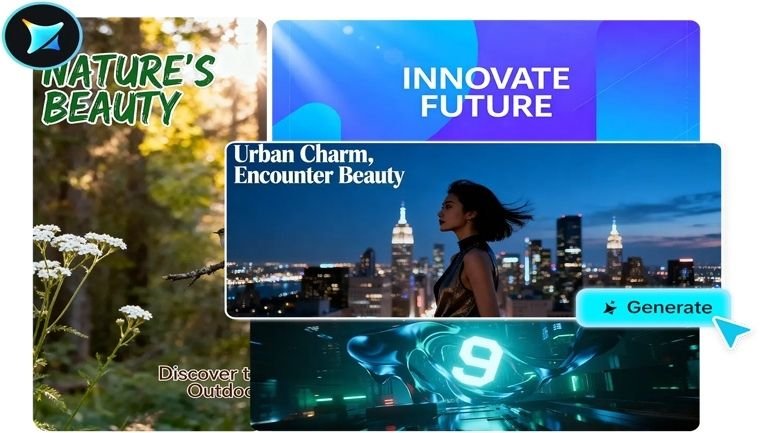
A flash sale ends in six hours, and there’s no banner ready. A new product just launched, and the website’s homepage still shows last month’s promotion. Promotional banners live on tight, often last-minute timelines, which makes them one of the worst-suited design tasks for a slow, multi-day creative process. An AI image generator fits this urgency perfectly, letting a genuinely polished banner go from concept to finished file in the time it would normally take just to brief a designer.
Dreamina, powered by its most advanced image generation model, Seedream 5.0 Pro, has become a reliable go-to for exactly this kind of fast-turnaround promotional work. Here’s how to build a banner that actually converts, not just fills space.
What a banner needs to accomplish in one glance
A promotional banner has less time to make its case than almost any other marketing visual, often just a fraction of a second before a viewer scrolls past or a page loads further. That means it needs to communicate the offer, create urgency or excitement, and stay legible, all within one compact frame. Every design decision should serve one of these three jobs, or it’s probably just clutter.
Choosing an energy level that matches the promotion
Not every promotion calls for the same visual intensity, and matching the banner’s energy to the offer itself matters more than defaulting to “bold and loud” every time:
-
High-energy, saturated colors for flash sales and limited-time urgency
-
Clean, restrained design for premium or exclusive offers
-
Warm, seasonal styling for holiday or gift-focused promotions
-
Playful, bright compositions for new product launches aimed at younger audiences
Building in space for the offer itself
Even the most eye-catching banner fails if there’s nowhere clean to place the actual offer, a percentage off, a promo code, a call-to-action button. Before generating anything, decide roughly where this text will live, usually a clear zone rather than scattered across the whole frame, and plan your visual composition around leaving that space genuinely open.
Your 3-step banner build with Dreamina
With your energy level and text placement planned, here’s exactly how to generate the banner.
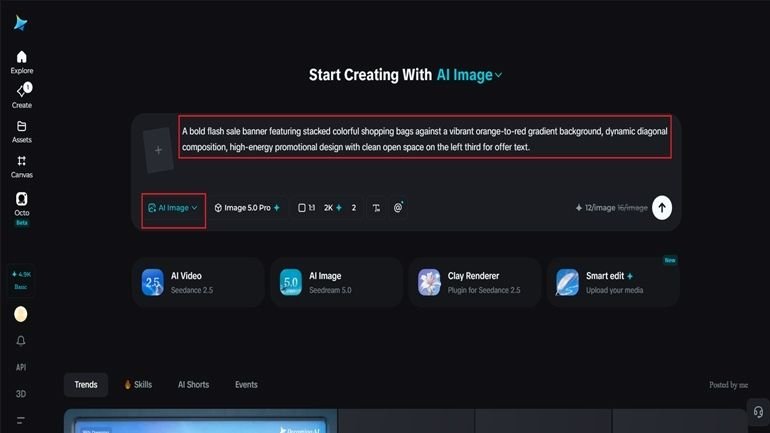
Step 1: Write a text prompt and/or add a reference image
Navigate to Dreamina and write a detailed text prompt describing a person dressed appropriately for your brand or promotion if your design includes a figure, along with the bold visual elements and color energy that match your offer. If you have a reference image capturing a similar promotional style, upload it to guide the generation further.
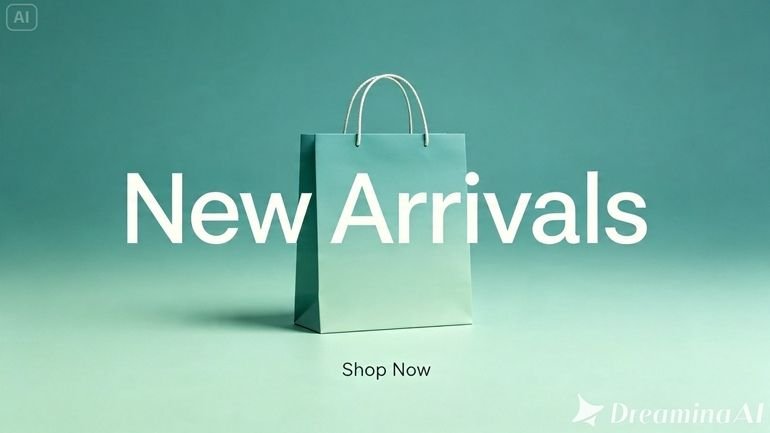
A strong sample prompt might read: A bold flash sale banner featuring stacked colorful shopping bags against a vibrant orange-to-red gradient background, dynamic diagonal composition, high-energy promotional design with clean open space on the left third for offer text.
Requesting a specific, clearly defined text zone is what keeps the banner genuinely usable once copy gets added.
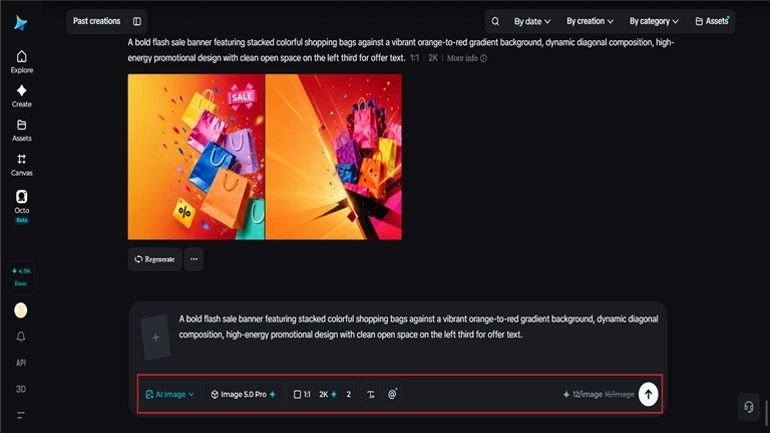
Step 2: Adjust parameters and generate
Before generating, set your parameters to match your banner’s placement. Choose Image 5.0 Pro, powered by Seedream 5.0 Pro, as your model, then select your aspect ratio, image size, and resolution, matching your aspect ratio to where it’ll run, wide for a website header or square for social promotion, and using 2K resolution to keep colors vibrant and details sharp. Click Dreamina’s generate icon to produce your banner.
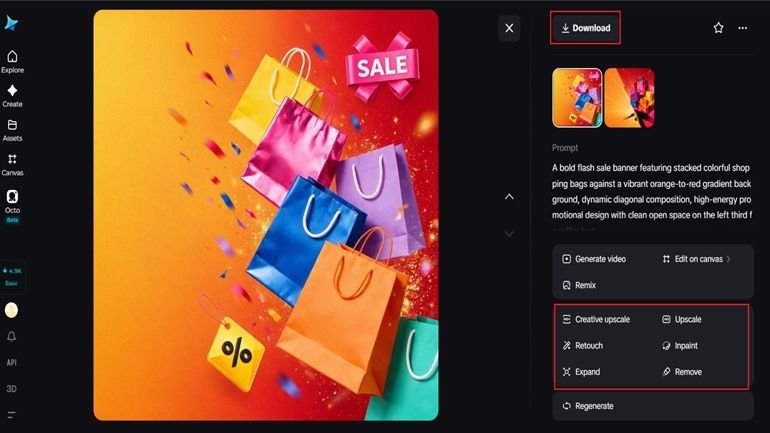
Step 3: Customize and download
Once your banner generates, refine it using Dreamina’s AI customization tools — inpaint to sharpen specific visual details, expand to open up additional space for text or a call-to-action button, remove to clean up anything cluttering the composition, and retouch to boost overall vibrancy and contrast. When it feels genuinely ready to convert, click the Download icon to save it.
Meet Seedream 5.0 Pro: fast, flexible, and legible
A handful of Seedream 5.0 Pro’s specific capabilities make it particularly well-suited to promotional banner work.
Native text generation for on-brand messaging
Native text generation across 14 languages means promotional copy, a sale percentage, a short tagline, can often be rendered directly and legibly into the banner rather than requiring a separate design pass.
Multi-layer visual control for quick format changes
Multi-layer visual control separates the visual elements, background, and text into independent components, making it fast to adjust a banner for a different platform or aspect ratio without starting over.
Built-in online research for current promotional trends
Built-in online research pulls in live web context, helping keep promotional design choices feeling current rather than relying on dated visual trends.
2K output for crisp, vibrant color
Since promotional banners depend heavily on bold, saturated color to grab attention, 2K output quality ensures those colors render vividly and stay sharp across different display sizes.
Why urgency cues matter in banner composition
Beyond color and text space, certain compositional choices reinforce a sense of urgency or excitement even before a viewer reads any copy. Dynamic diagonal lines feel more energetic than static horizontal ones. Slightly overlapping or stacked elements suggest abundance and movement. A bold, high-contrast focal point against a simpler background draws the eye immediately to what matters most. These small compositional decisions do real work alongside your color and text choices.
Producing a full set for one campaign
A single promotion often needs several banner variations, a website header, a social post, an email banner, all sharing the same offer and visual identity but sized differently. Reusing the same color palette, energy level, and core visual elements across each format keeps the whole campaign feeling cohesive rather than like several unrelated pieces.
A quick pre-launch check
Before a banner goes live, it’s worth confirming a few practical details:
-
The offer or message is legible at actual display size
-
There’s clear space reserved for a call-to-action if needed
-
The energy level actually matches the urgency of the promotion
-
The format fits correctly wherever it’s being placed
Final thoughts
A promotional banner that actually earns a click doesn’t require a multi-day design turnaround anymore, just a clear sense of urgency, color, and message, paired with the right AI image generator to execute it fast.
With Dreamina and its advanced Seedream 5.0 Pro model, a genuinely polished, conversion-ready banner comes together in minutes rather than days.
Match your energy to your offer, leave room for the message, and let Dreamina help your next promotion actually get noticed.
Be the first to comment on "How to Create Promotional Banners with AI"