
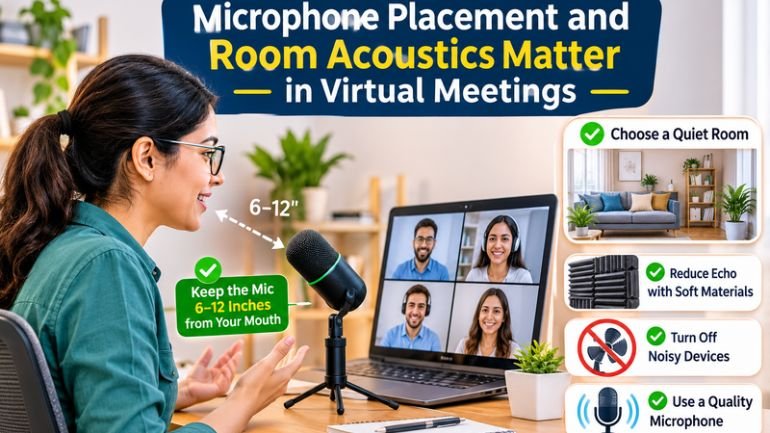
Virtual meetings depend on clear communication, but poor audio quality can make even a well-planned discussion difficult to follow. Participants may struggle to hear speakers, background conversations can interrupt important points, and echo can make voices sound distant or unclear.
Two factors play a major role in meeting audio quality: microphone placement and room acoustics. Choosing suitable equipment is important, but how that equipment is positioned and how sound behaves within the room can make an equally significant difference. Understanding these factors helps businesses create more comfortable and productive virtual meetings.
1. Improve Speech Clarity with Correct Microphone Placement
Microphone placement affects how clearly a speaker’s voice is captured. A microphone positioned too far away may pick up more background noise than speech, while incorrect positioning can cause uneven volume or make some participants difficult to hear.
For individual video calls, a headset microphone or appropriately positioned desk microphone can help capture speech consistently. In meeting rooms, microphones should be selected and positioned according to the number of participants, seating arrangement and distance between speakers.
Larger rooms may require multiple microphones or ceiling-mounted systems designed to cover the intended speaking area. Businesses should also consider microphone pickup patterns, which influence how sound is captured from different directions.
Testing microphone levels before a meeting helps identify quiet voices, unwanted noise and inconsistent audio. Small adjustments to positioning can often improve intelligibility without requiring additional equipment.
2. Understand How Room Acoustics Affect Virtual Meetings
Room acoustics describe how sound behaves within an enclosed space. Hard surfaces such as glass, concrete and bare walls reflect sound, potentially creating reverberation that makes speech less distinct.
When sound reflects repeatedly around a room, individual words can become harder to distinguish. This is particularly noticeable during virtual meetings, where microphones capture both direct speech and reflected sound.
Acoustic treatments, including wall panels, ceiling absorbers and suitable furnishings, can help reduce excessive reflections. The appropriate solution depends on the room’s dimensions, surface materials and intended use.
It is important to distinguish between sound absorption and soundproofing. Absorption helps control reflections within a room, while soundproofing aims to limit sound transmission between spaces. Businesses should identify the main acoustic problem before choosing a treatment.
3. Reduce Background Noise and Audio Distractions
Background noise can interfere with conversations even when microphones and conferencing software are working correctly. Common sources include air conditioning, nearby conversations, keyboards, office equipment and movement through shared spaces.
Businesses can reduce these distractions by positioning meeting rooms away from busy work areas, maintaining ventilation equipment and creating separation between collaborative zones and quiet spaces.
Microphones with suitable directional pickup can help prioritise speech from intended speakers. Noise suppression features in conferencing software may also reduce certain unwanted sounds, although they cannot eliminate every acoustic problem.
For the best results, businesses should combine appropriate microphone selection with sensible room planning. Relying entirely on software to correct poor audio conditions may leave persistent problems unresolved.
4. Choose Video Conferencing Equipment That Fits the Room
Different meeting spaces have different audio requirements. A small room used by two people may work well with an integrated conferencing device, while a boardroom with multiple participants may need a more carefully designed system.
When selecting video conferencing equipment, businesses should consider microphone coverage, speaker performance, camera positioning, connectivity and compatibility with their preferred meeting platforms.
Integrated systems can simplify installation and everyday operation, particularly when microphones, cameras and speakers are designed to work together. However, the equipment must still suit the room layout and the way employees conduct meetings.
Businesses researching video conferencing installation should evaluate the complete meeting environment rather than choosing equipment based on individual specifications alone. A system that works well in one room may not deliver the same results in a larger or more acoustically challenging space.
5. Prevent Echo and Feedback During Online Meetings
Echo and feedback are common sources of frustration during virtual meetings, but they are different problems.
Echo occurs when a participant hears a delayed version of their own voice, often because audio from a speaker is picked up again by a microphone at another location. Acoustic echo cancellation can help manage this issue in compatible conferencing systems.
Audio feedback occurs when sound from a loudspeaker is captured by a microphone and repeatedly amplified, sometimes producing a high-pitched tone. Appropriate microphone positioning, speaker placement and system configuration can help prevent it.
Using compatible audio equipment and enabling the correct conferencing settings can improve performance. Participants should also avoid placing microphones directly beside speakers and should test the system before important meetings.
6. Design Meeting Rooms for Both In-Person and Remote Participants
A successful hybrid meeting needs to work for everyone, not just the people physically present in the room. Remote attendees should be able to hear each speaker clearly, follow the discussion and contribute without repeatedly asking others to speak louder.
Room layouts should support natural conversation while allowing microphones to capture voices effectively. Camera placement should provide a clear view of participants, and displays should make shared content easy to read.
Businesses should test meeting rooms under realistic conditions, including situations where several people speak, participants join remotely and presentations are shared. These checks help identify coverage gaps and usability issues before they affect everyday collaboration.
Organisations seeking audio visual Perth services can assess how microphone systems, room acoustics and conferencing equipment work together to create reliable meeting environments.
Conclusion
Microphone placement and room acoustics directly influence how clearly participants communicate during virtual meetings. Suitable microphone positioning helps capture speech, while acoustic treatments reduce distracting reflections and improve intelligibility.
The most effective approach combines appropriate equipment, thoughtful room design, background noise management and regular system testing. By addressing these factors together, businesses can reduce communication problems and create virtual meetings that are clearer, more accessible and more productive.
Be the first to comment on "Why Do Microphone Placement and Room Acoustics Matter in Virtual Meetings?"