
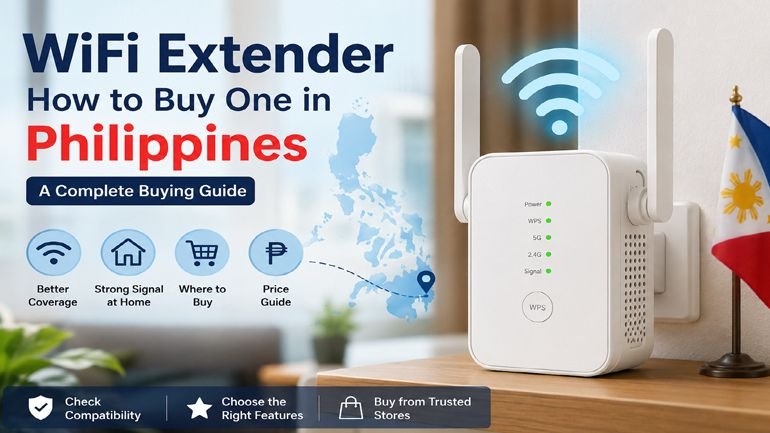
That dead zone in your bedroom or in the sari-sari store attached to your house isn’t necessarily your ISP’s fault. In many Filipino homes, especially concrete-walled units or two-story houses, the router’s signal simply can’t reach every corner. A WiFi extender is the most common, budget-friendly fix, but a lot of buyers grab the wrong one, put it in the wrong spot, or don’t realize an extender isn’t the only option anymore.
With 48.8% of Filipino households now having internet access at home, and average monthly household internet spending sitting at ₱1,069.10 as of 2024, more Filipino families than ever are trying to stretch that connection across every room, not just the living room where the router sits.
Here’s what a WiFi extender actually does and how to choose the right one for your home needs.
What Is a WiFi Extender?
The WiFi extender, which is sometimes referred to as the WiFi range extender or repeater, is a compact gadget that captures the WiFi signal that you already have and transmits it to other parts of the network. This does not create an independent internet connection but rather strengthens the signal generated by your router or modem.
This is done using the extenders, which connect wirelessly with your present network and then create another access point for you to which your devices will be able to connect when they move out of range of the original router.
WiFi Extender vs. Mesh System vs. Access Point
Before buying, it helps to know that “boosting WiFi” can mean a few different things:
- WiFi extenders/repeaters are the cheapest and simplest option; just plug one into a power socket between your router and the area without coverage, and it rebroadcasts the signal. The downside is that extenders reduce your available bandwidth by about half because the same radio chip is receiving and rebroadcasting the signal.
- Mesh WiFi systems use multiple units that work together as one seamless network, automatically handing devices off between nodes as you move through the house. Mesh systems perform better in larger homes but cost significantly more than a single extender.
- Access points connect via Ethernet cable rather than wirelessly, which avoids the bandwidth loss of a wireless extender entirely, a good option if you can run a cable to the area that needs coverage.
For most single-family homes or apartments in the Philippines dealing with one or two weak spots, a simple extender is usually the most practical and affordable starting point.
Why WiFi Dead Zones Are So Common in Philippine Homes
A few things make signal loss a bigger issue locally than in some other countries:
- Concrete and masonry construction. Many Philippine homes and condo units use concrete walls and floors, which absorb and block WiFi signals far more than the drywall common in other countries.
- Vertical living. Two- and three-story homes, and especially high-rise condos, put real distance and multiple floors between the router and rooms upstairs.
- Router placement. ISP-provided routers are often placed wherever the fiber or DSL line enters the home, frequently a corner near the front door, rather than a central location that would give more even coverage.
- Household size and device count. The typical size of a Philippine family was 3.8 people in the 2024 census, and nowadays it is quite normal that every family member has their own gadget that requires the Internet connection, as well as smart TVs, gaming systems, and IoT devices.
What to Look for When Buying a WiFi Extender in the Philippines
WiFi standard. Look for at least WiFi 5 (802.11ac) support; WiFi 6 extenders cost more but handle more connected devices with less slowdown, which matters for busier households.
Dual-band or tri-band. Dual-band extenders (2.4 GHz and 5 GHz) are what you should look for. Tri-band extenders have an additional 5GHz band which works for connecting to the router, thus decreasing the bandwidth losses which occur in extenders – useful if you need to make video calls from the dead spot.
Coverage area rating. Manufacturers list an advertised coverage area in square meters but treat this as a best-case number achieved in open space with no walls; real Philippine homes with concrete walls will see noticeably less.
Ethernet port. Using an extender with one Ethernet port enables hardwiring a smart TV, a video gaming device, or a computer in the extended area for a more reliable network connection than using just WiFi.
Brand availability and local support. Extenders manufactured by TP-Link, Netgear, D-Link, and Xiaomi are widely found in Philippine electronics shops as well as online marketplaces at prices ranging between ₱800 for the most affordable dual band extenders up to ₱3,000–₱5,000 for WiFi 6 and tri-band extenders. The best way to go would be sticking to a brand with local suppliers.
Compatibility with your existing router. Most extenders are compatible with all routers irrespective of the brand; however, make sure your extender is compatible with your router’s WiFi technology and security standards (WPA2/WPA3).
Where to Place a WiFi Extender for Best Results
Placement matters as much as the extender itself:
- Locate it somewhere between your router and the dead spot; but do not place it near the dead spot because it must get a good signal from the router before broadcasting the signal.
- Avoid placing it inside cabinets, behind large appliances, or right next to concrete walls, all of which weaken the signal it’s trying to extend.
- Elevate it where possible. WiFi signals spread more evenly from a higher position, like a shelf, rather than from floor level.
- Test before committing to a permanent spot. Many extenders show signal strength through LED indicators, move the device around during setup, and check the indicator before settling on a final outlet.
Final Thoughts
For the Filipino household, the WiFi extender is still one of the cheapest solutions for solving the problem of the WiFi dead zone considering the prevalence of concrete walls in houses. Before buying, match the extender’s WiFi standard and band setup to how the affected room is actually used; light browsing can get by with a basic dual-band model, but video calls or streaming deserve a tri-band or WiFi 6 unit.
And if your home has more than one or two dead zones, it’s worth comparing the cost of several extenders against a mesh WiFi system, which may end up being the better long-term investment for whole-home coverage.
Be the first to comment on "What Is a WiFi Extender? How to Buy One in the Philippines"